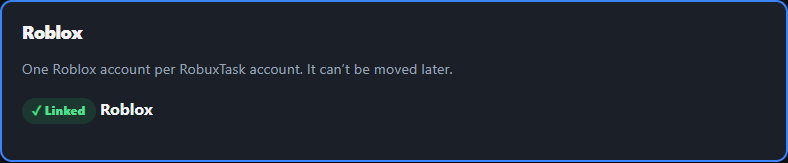
How to Link Your Roblox Account (Step by Step)
4 easy steps with pictures. Takes about a minute, and you never share your password.
▶ Sign up free to start📸 How to link your Roblox account
-
1
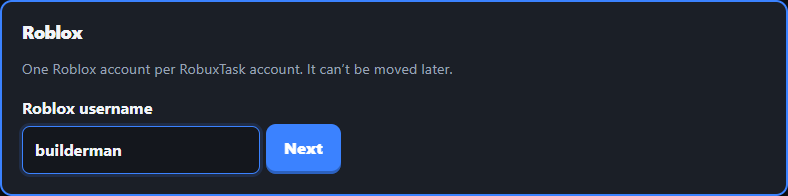
Type your Roblox username
On the Link Roblox page, type your Roblox username (not your password!) and tap Next.
-
2
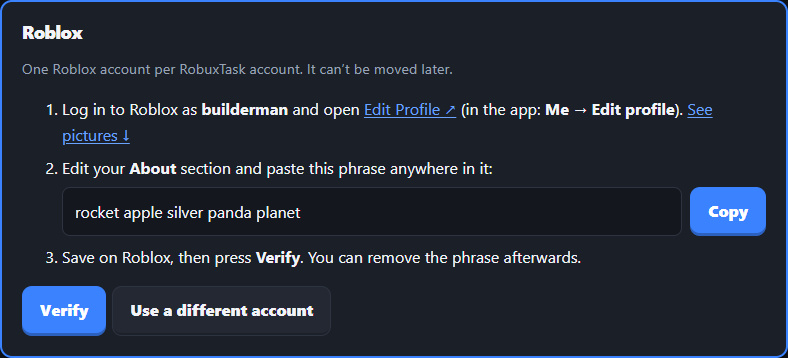
Copy your 5 secret words
You’ll get 5 words, like apple river tiger cloud pizza. Tap Copy.
-
3
Paste them in your Roblox “About”
Open Roblox and put the 5 words in your profile’s About, then Save.
Open roblox.com/users/profile/edit ↗ (or Profile → Edit Profile) and click About.
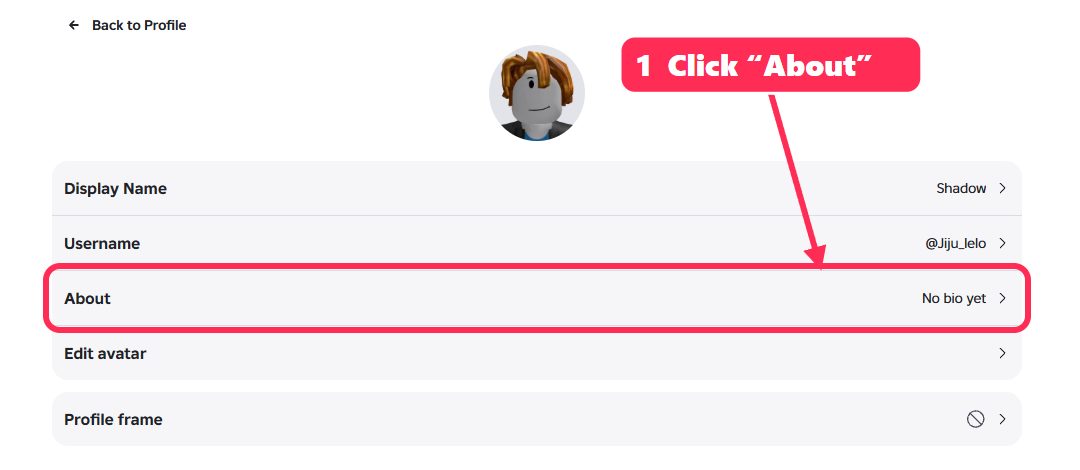
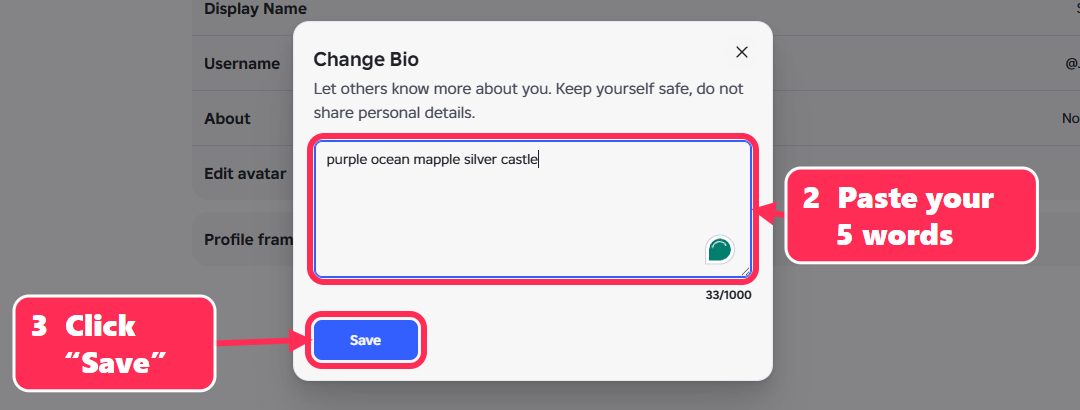
Paste your 5 words in the box and click Save.
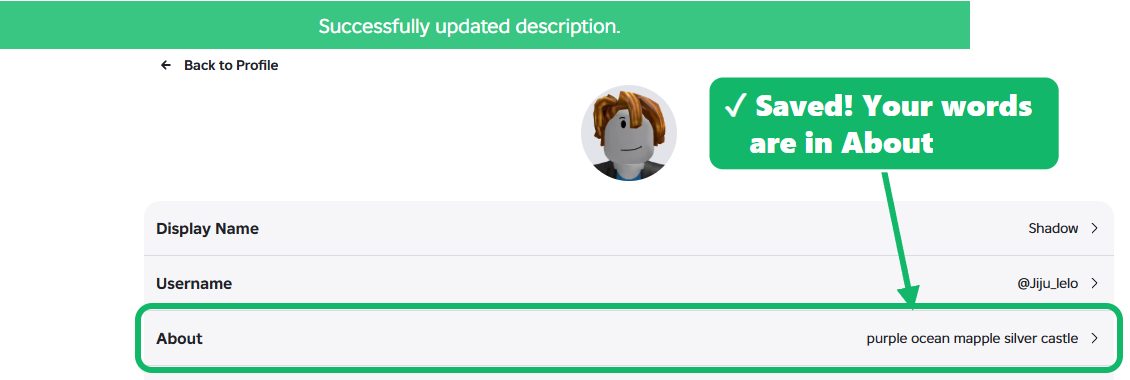
You’ll see “Successfully updated description” and your words next to About.
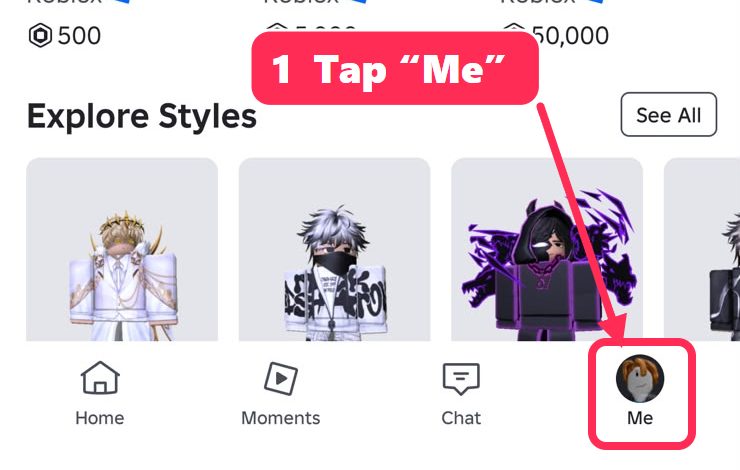
Open the Roblox app and tap Me at the bottom right.
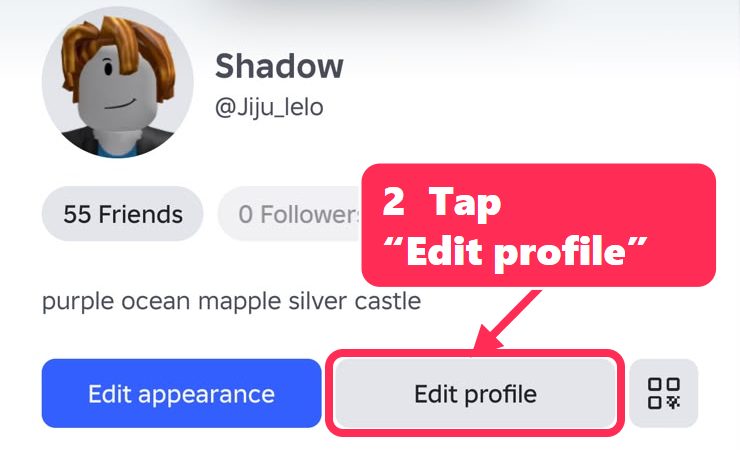
Tap Edit profile.
Tap About, paste your 5 words and tap Save.
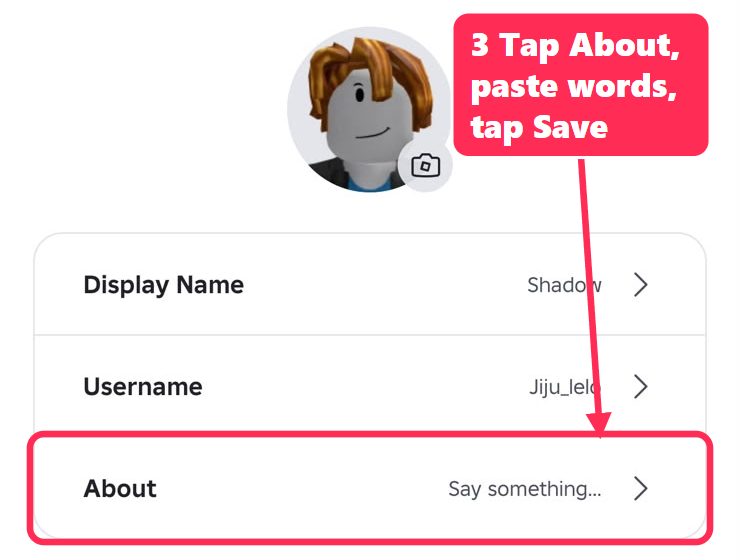
Your words now show next to About.
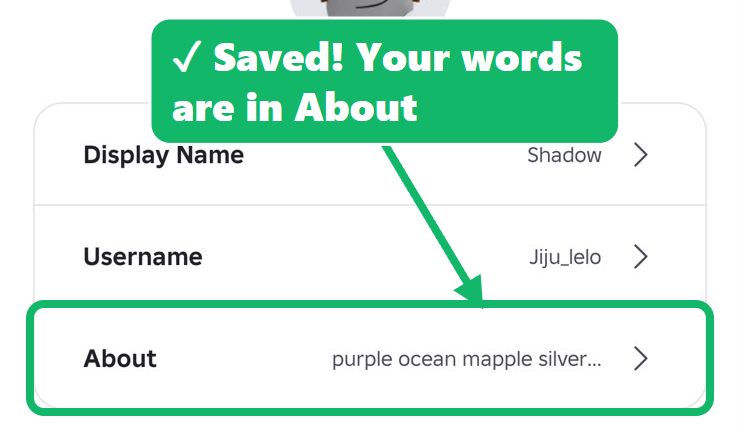
💡 Tip: use Copy and Paste so the words are spelled exactly right. One wrong letter (like “mapple” instead of “maple”) and Verify won’t find them. Capital letters don’t matter.
-
4
Come back and tap Verify
Back here, tap Verify. Done! 🎉 You can delete the words from your About afterwards.